Bid tracking turns your dashboard into a simple pipeline. Mark where each contract stands — from first interest to won or lost — so nothing slips through the cracks.
The stages
Every tracked contract sits in one of five stages:
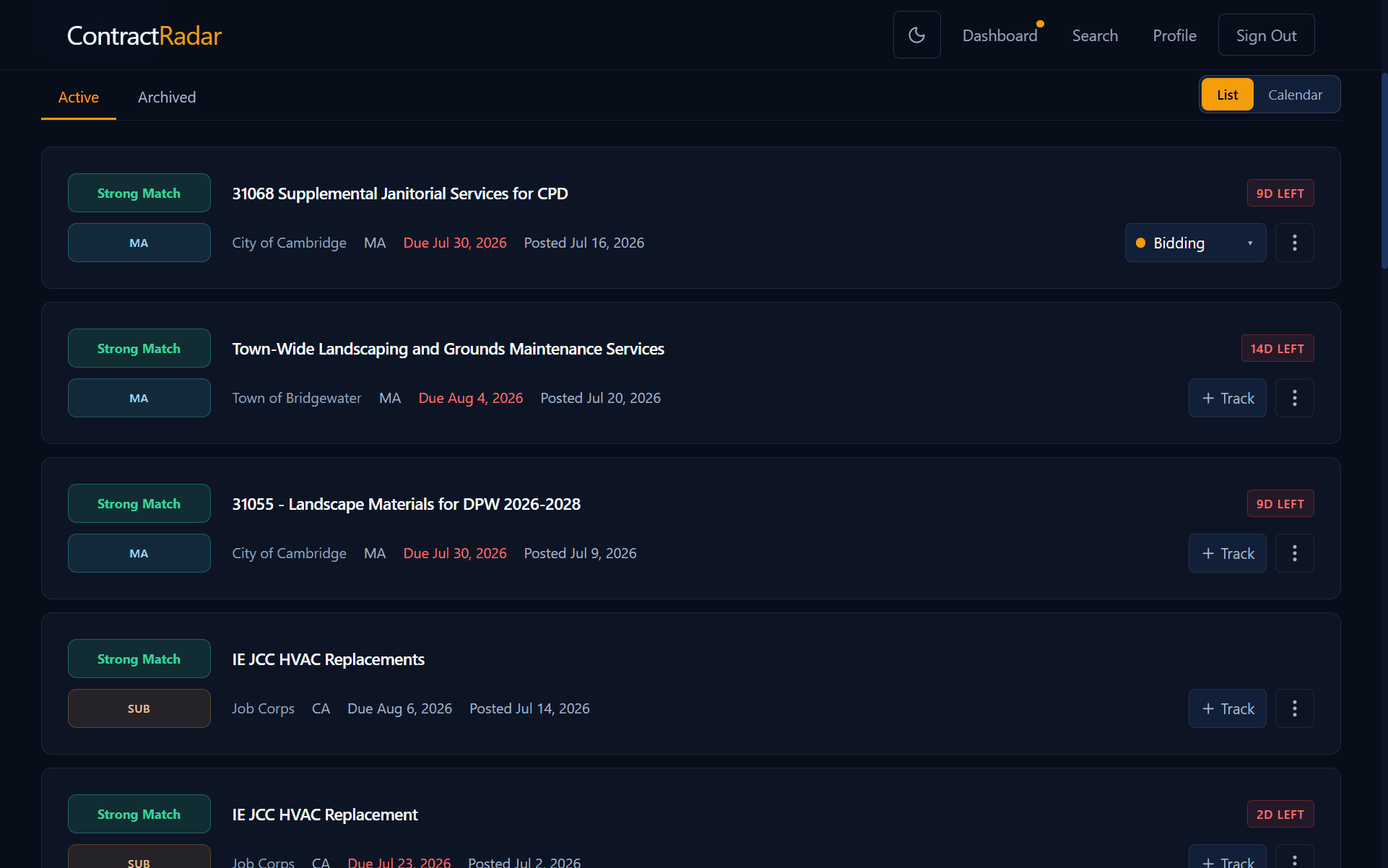
- Interested — you’re watching it.
- Bidding — you’re working on a bid.
- Submitted — your bid is in.
- Won / Lost — how it turned out.
Track a contract
- On your Dashboard (or a contract’s detail page), find a contract you’ve got your eye on.
- Click Track. It starts at Interested.
- As things progress, use the stage dropdown to move it along — or back to Not tracking to drop it.
See just one stage
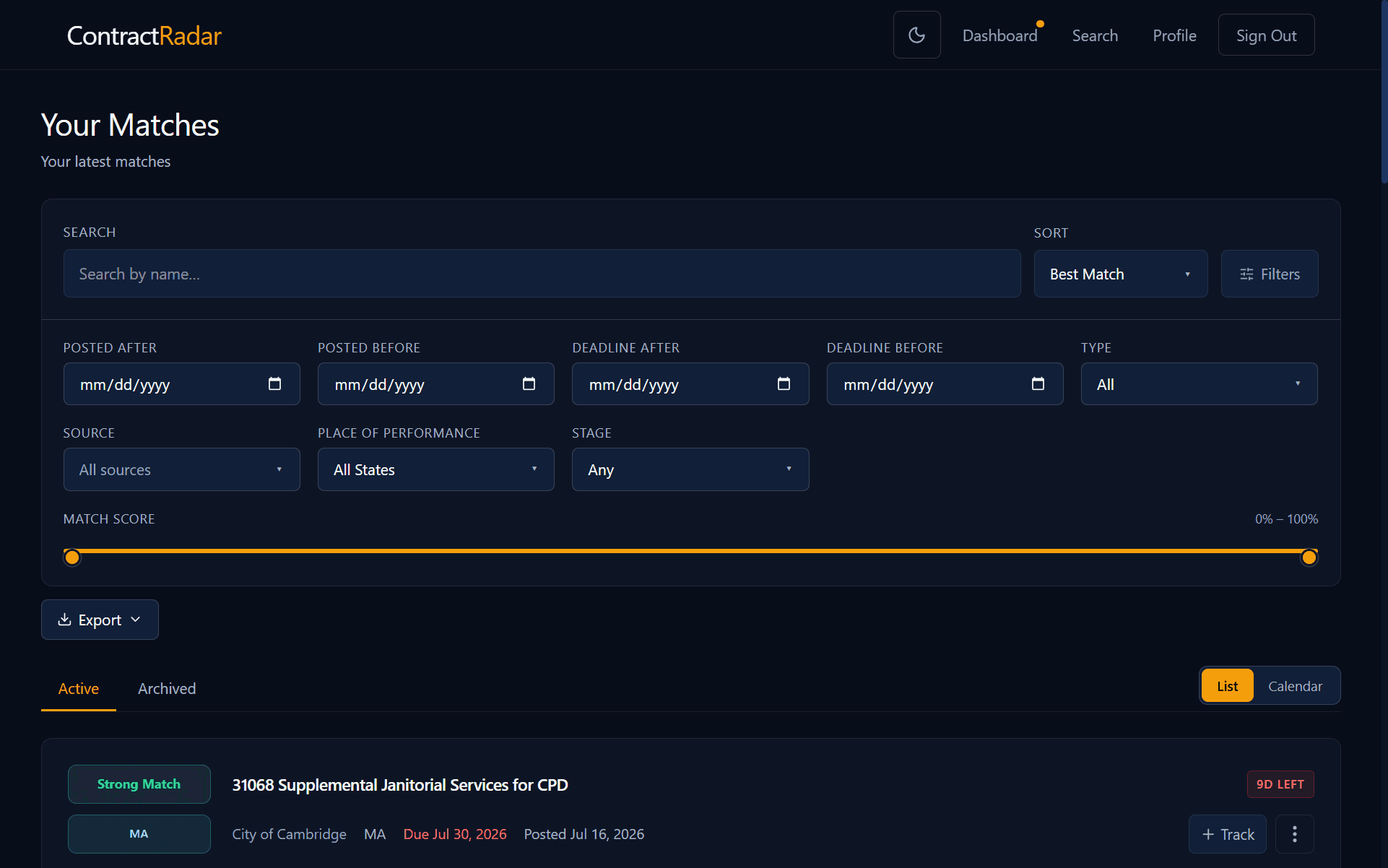
On your dashboard, open Advanced filters and use the Stage filter in the Match section to show only, say, everything you’re currently Bidding on — handy for a quick status check on your active pipeline.
Requires Pro
Bid tracking lives on your dashboard, so it’s part of Pro. Track a contract you’ve saved to your dashboard or that was matched to you.