Search is the fastest way to see what’s out there. Describe what you do in plain English and ContractRadar looks across federal, state, and local contracts at once — no codes to memorise. When you already know the exact wording, you can search for that instead.
Run a search
- Go to the Search page (you’ll need a free account).
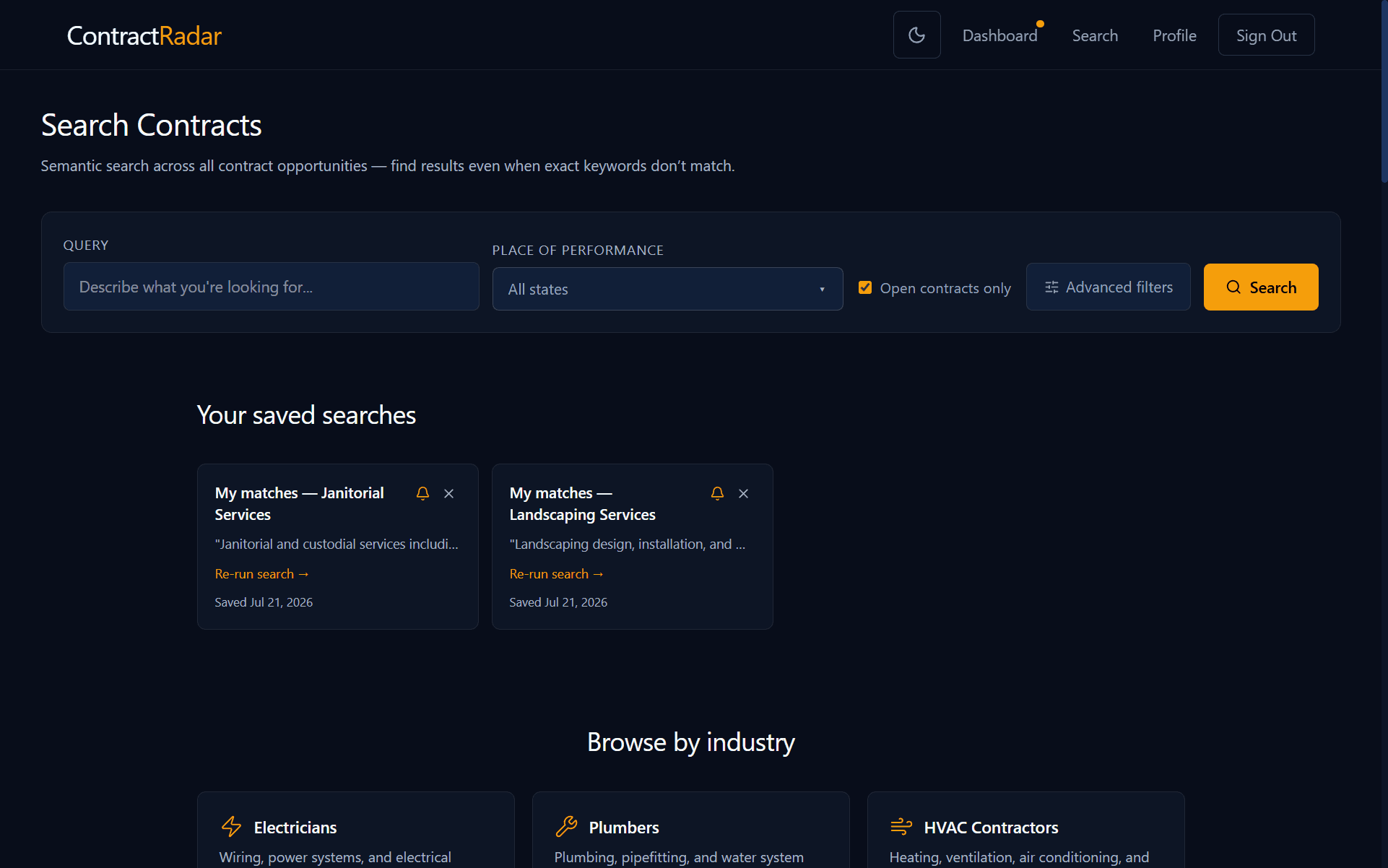
- Type what you do in the search box — e.g. “commercial electrical” or “snow removal”. On Smart match, the default, you don’t need exact keywords: search matches on meaning, not just words.
- Press Search.
Smart match or Exact words
Under the search box are two ways to match what you typed. Smart match is the default, and it’s what the rest of this page assumes unless it says otherwise.
- Smart match finds contracts that mean the same thing, even in different words — searching “snow removal” also finds “winter road maintenance” and “ice control services”. Best for describing a kind of work.
- Exact words finds only contracts whose title and description only — not the agency name, and not the tags a posting carries — literally contain what you typed, case-insensitively. If you’re chasing a solicitation number, the reliable route is the Solicitation # tag under Advanced filters instead, which matches it wherever the posting records it: filtering by tags. Best for quoting a phrase you already know is correct — a programme or statute name, an agency’s in-house term, a specific material or model number.
- Exact words needs 3 letters or digits in a row somewhere in your search, so “hv” won’t run — reading every contract we hold for a run that short is slow enough to be worth telling you about rather than making you wait. Smart match has no such limit.
Reach for Exact words when a longer, more specific phrase is what you want — every extra word narrows the results, the opposite of how Smart match behaves. Reach for Smart match when you’re describing the work you do rather than quoting it: Exact words on “snow removal” will miss every contract that calls it something else, and government postings rarely agree on wording.
Score range and Exact words
Write a search that finds the right work
How you word your search makes a big difference to what comes back — whether it’s a one-off search or one you save for email alerts. Two rules go a long way:
- One trade per search. Keep each search focused on a single kind of work. If you do both heating & cooling and landscaping, run two searches — one for each — instead of one that mixes them. A search that tries to cover two unrelated trades at once matches each of them less well, so you’ll see weaker results and miss good ones.
- Describe the work, don’t just label it. Spell out what you actually do, the way it’d be written in a contract — not just an abbreviation. “hvac” works, but “heating, ventilation, and air-conditioning installation, maintenance, and repair” tells ContractRadar far more about the jobs you want and finds better matches. A fuller description almost always beats a short one.
Not sure how to word yours? The Search page lists example searches for typical industries — tap one to fill the box, then edit it to match what you do.
A quick rule of thumb
Narrow it down with filters
Two filters sit beside the search box, because they’re the ones you change most:
- Place of Performance — pick one or more states to see only contracts performed there.
- Sort — order the results by deadline, posting date, or name. The default puts the closest matches to what you described first.
The rest live under Advanced filters, and the button tells you how many you have on:
- Open contracts only — on by default, at the top of the Deadline group. Switch it off to include contracts whose deadline has already passed.
- Posted and Deadline dates — bound either end of a date range.
- Type and Source — limit to contracts or subcontracts, and to federal, state or local sources.
- Score range — only when you’ve typed a search, since browsing by filters alone has nothing to score. Move the sliders to keep only close matches, or to look past them at the fringe. What the score means.
- Tags — narrow by the details a posting carries, like a set-aside or the department that posted it. Filtering by tags.
Nothing you change here applies until you press Search — the button sits at the bottom of the panel, right under whatever you just changed, for exactly that reason. (Your matches work the other way: filters there apply as you set them.)
It’s the same panel, with the same groups in the same order, that sits above your matches — so once you know one page you know the other. Your matches add a Stage filter, which only makes sense for contracts already matched to you.
Read a result
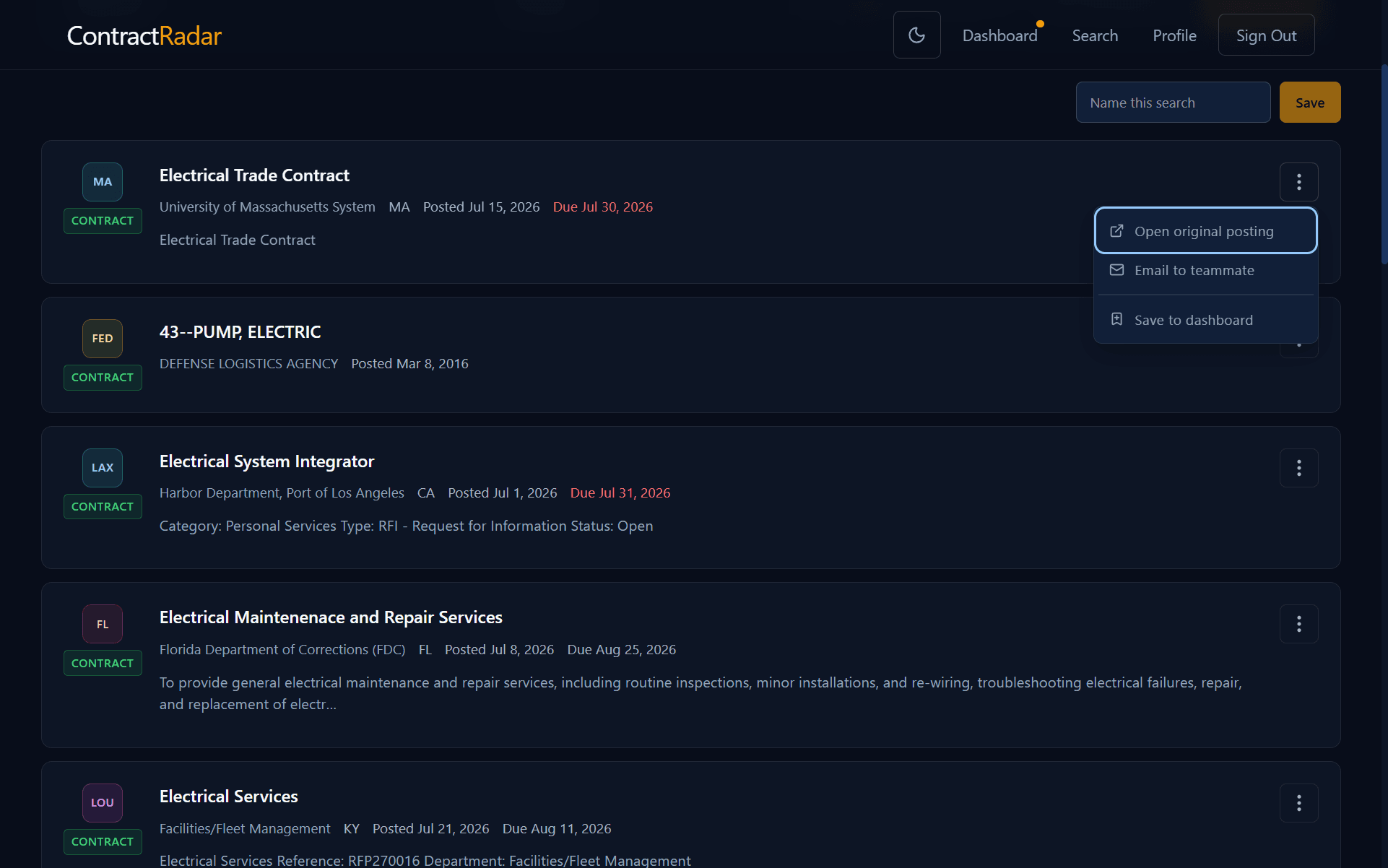
Each result card shows the title, the agency, where the work is performed, and how many days are left to respond. Open a card for the full detail — agency, contacts, deadline, and a link to the original posting. From a card’s actions menu you can also Open original posting, Email to teammate, or Save to dashboard.
What the score means
Search is semantic: it matches on meaning, not exact words. So when you’ve typed a search, each result also shows its Score — a number from 0 to 1 for how closely its meaning matches what you typed, not a judgement of the contract itself. Higher is closer; most genuinely relevant results land somewhere around 0.3–0.6, and the default minimum (0.35) is set just inside that range. Raise the Score range’s minimum if a search is turning up too many loose matches, or pull the maximum down below 1.00 to look at what falls just short of your strongest matches — sometimes the fringe still has something worth catching.
Free & Pro
Search the same thing often? Next, learn how to save a search so you can re-run it in one click.